フォーカスの設定
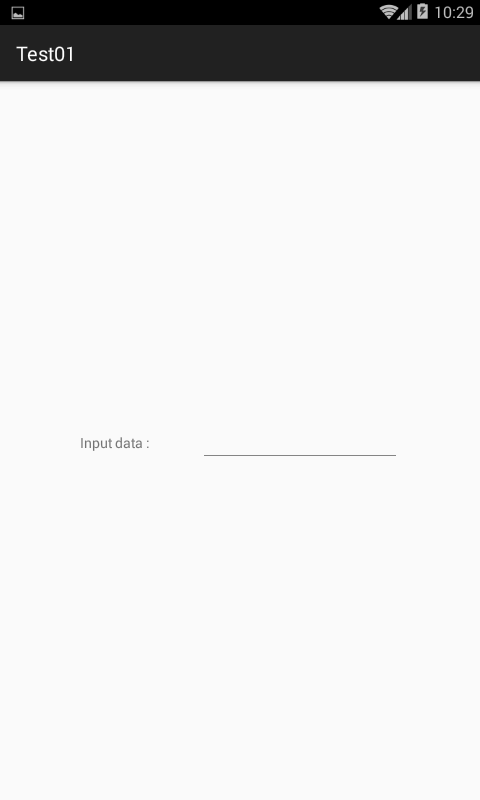
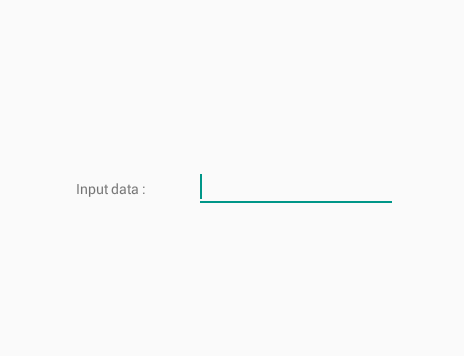
ActivityにEditTextを設定すると初期状態では上画像のように最上位のEditTextにフォーカスが当たります。さらに、機種などによってはソフトキーボードが表示されます。
この動きが望ましくない場合、以下のようなXMLを親に追加します。
仕組みとしてはEditViewの親にあたるレイアウトViewにフォーカスを当てることでEditViewからフォーカスを取り上げる。という方法です。
android:descendantFocusability="beforeDescendants"
android:focusableInTouchMode="true"
初期状態の設定ですから、EditViewをタップすれば問題なくフォーカスされます。
まとめますと、以下のXMLコードとなります。
XMLコード
EditTextの親、LinearLayoutに追記しました。
<?xml version="1.0" encoding="utf-8"?>
<android.support.constraint.ConstraintLayout
    xmlns:android="http://schemas.android.com/apk/res/android"
    xmlns:app="http://schemas.android.com/apk/res-auto"
    xmlns:tools="http://schemas.android.com/tools"
    android:layout_width="match_parent"
    android:layout_height="match_parent"
    tools:context="net.honeybread.test01.MainActivity">
    <LinearLayout
        android:layout_width="wrap_content"
        android:layout_height="wrap_content"
        android:orientation="horizontal"
        app:layout_constraintBottom_toBottomOf="parent"
        app:layout_constraintLeft_toLeftOf="parent"
        app:layout_constraintRight_toRightOf="parent"
        app:layout_constraintTop_toTopOf="parent"
        android:descendantFocusability="beforeDescendants"
        android:focusableInTouchMode="true" >
        <TextView
            android:layout_width="120dp"
            android:layout_height="wrap_content"
            android:text="Input data : "
            android:labelFor="@+id/editText"/>
        <EditText
            android:layout_width="200dp"
            android:layout_height="wrap_content"
            android:id="@+id/editText"
            android:inputType="text"/>
    </LinearLayout>
</android.support.constraint.ConstraintLayout>
空のダミーアイテム
もう一つの方法として空のダミーアイテムを作り、そこにフォーカスを当てるという方法です。例えば以下のようなアイテムを設定します。設定場所はどこでも構いませんが、最上位がわかりやすく管理しやすいでしょう
<?xml version="1.0" encoding="utf-8"?>
<android.support.constraint.ConstraintLayout
    xmlns:android="http://schemas.android.com/apk/res/android"
    xmlns:app="http://schemas.android.com/apk/res-auto"
    xmlns:tools="http://schemas.android.com/tools"
    android:layout_width="match_parent"
    android:layout_height="match_parent"
    tools:context="net.honeybread.test01.MainActivity">
    <LinearLayout
        android:layout_width="0dp"
        android:layout_height="0dp"
        android:focusable="true"
        android:focusableInTouchMode="true"
        />
<!-- 略-->
</android.support.constraint.ConstraintLayout>
結果
以下のように初期状態でフォーカスされなくなりました。